Before using a crypto wallet, establish who controls it and which backups are available. For a transfer, match the asset, network, and full recipient address, allow enough for the amount and fees, and inspect what you are signing. After sending, check both transaction status and receipt. This guide uses a hypothetical ether (ETH) transfer. A transaction hash is not proof of receipt: if details or signing requests remain unclear, stop before sending.
You may already have bought crypto and still get stuck the first time you withdraw to a wallet. Why choose a network if the asset is still ETH? Why can you not send the entire balance after pasting the address? When a screen says “success,” which part of the process has actually succeeded?
These questions are connected. Knowing who can move the assets tells you who must maintain the backups. Knowing which asset you are sending on which chain lets you check the result. I would work through the decisions for one transfer before adding more wallets and on-chain activities.
Wallets, Addresses, and Accounts: Who Can Move the Assets?
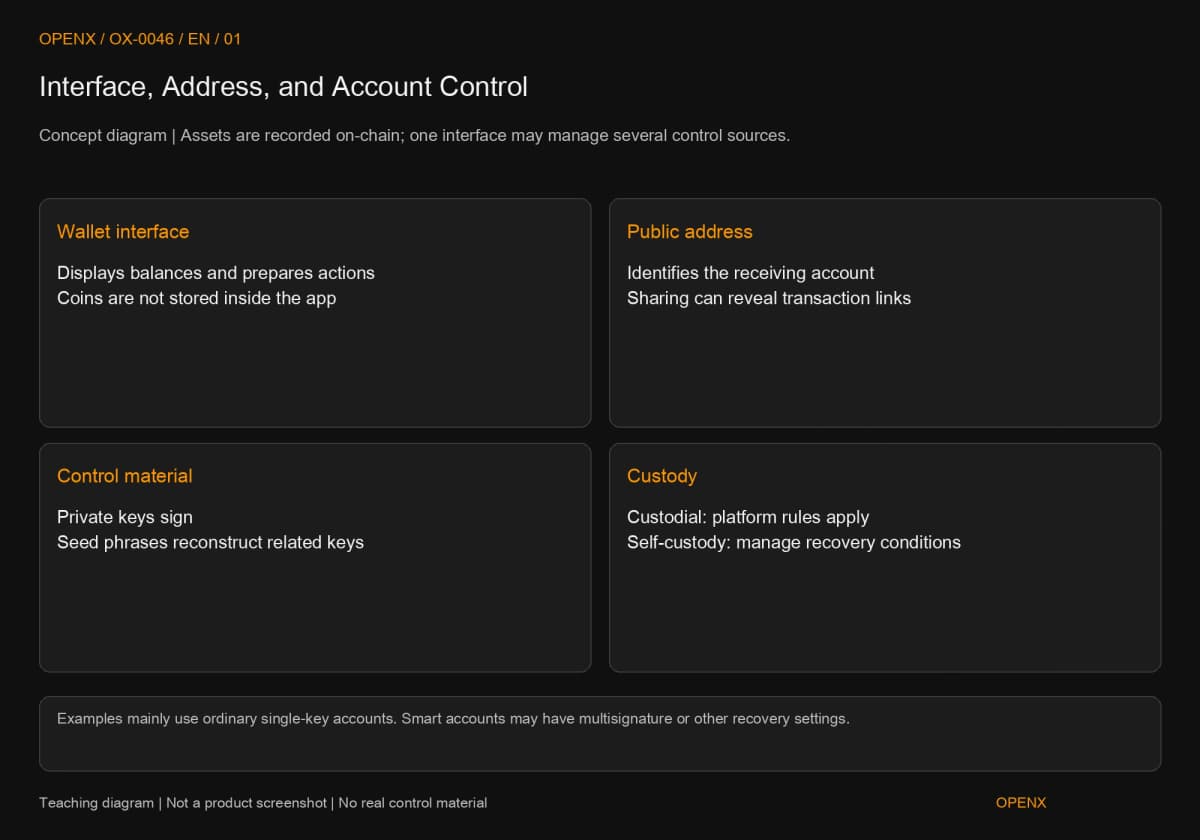
A crypto wallet lets you view accounts, receive assets, and initiate signing; asset balances and state are recorded on the blockchain. That is why a different wallet interface may still access the same account, while deleting an app does not empty its on-chain balance. Ethereum.org's “Ethereum wallets” documentation makes this distinction when explaining accounts and addresses.
Addresses Are Public; Control Information Must Stay Private
An address is public information identifying a recipient. A private key produces signatures that let the network verify authorization. For an ordinary account controlled by one private key, exposing that key may allow someone else to submit valid transactions. Smart contract accounts define control through on-chain code, such as multisignature rules requiring several keys to approve an action, or separate recovery arrangements. Not every account follows a one-key model.
Someone sending you assets needs your address on the correct network and any additional information required by that receiving method. They do not need your private key, seed phrase, or wallet unlock password. Public addresses can still connect transaction histories, so consider privacy before sharing them. Public does not mean free of personal-information implications.
Custody and Self-Custody: Who Handles Recovery?
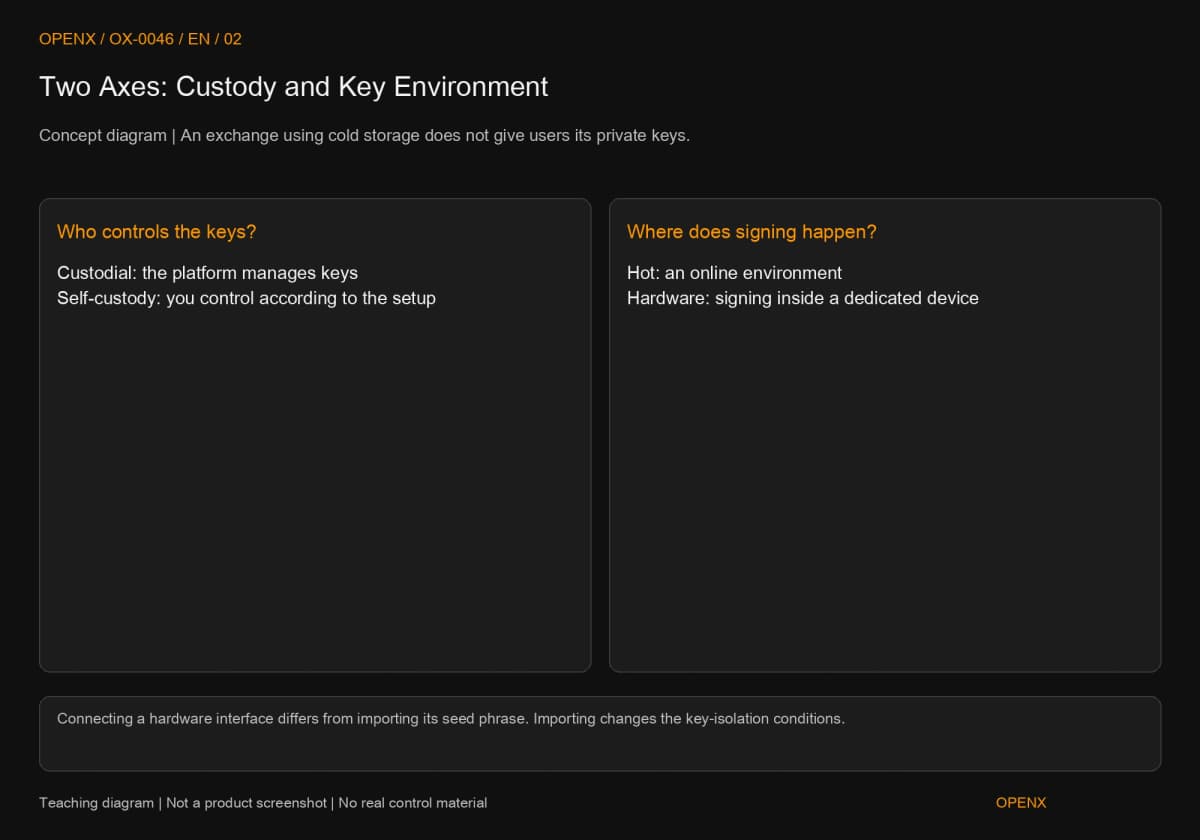
With a custodial account, the platform manages the relevant keys, and you request withdrawals through its account system and rules. With self-custody, you hold or jointly control signing authority under the account's configuration. The former involves platform operations, withdrawal restrictions, and account-security risks; the latter requires you to manage keys and recovery information. Resetting a service login and reversing an on-chain transaction are separate questions.
One brand may offer both an exchange account and an on-chain wallet. Its logo alone does not tell you the custody model. Identify the product, the account-creation method, and the recovery process if the device is lost. Ethereum.org's documentation also distinguishes centralized-exchange custody from the wallet interface.
Hot and Cold Describe the Key Environment, Not a Different Coin
Hot and cold wallets mainly differ in how keys are stored and used for signing. Custody and self-custody describe who controls that authority. Keep these two comparisons separate. An exchange may use cold storage for customers' assets, while you remain a custodial customer without access to the platform's private keys.
A Phone Interface Can Connect to Hardware Signing
A phone or browser can display balances and prepare transactions, then pass them to a hardware device for signing. Under a normal design, connecting does not require importing the private key into the phone. MetaMask's official “How to use a hardware wallet with MetaMask” recommends creating fresh recovery information on the hardware rather than reusing a seed phrase previously held in software. The source article checked this guidance on October 27, 2026.
Hardware adds a confirmation step as well as backup and device-management work. You still need to understand what you sign. See the hot and cold wallet comparison for different use cases; this guide first completes the checks shared by receiving and sending.
Check Backups Before Funding an Account
For a self-custody wallet created with a seed phrase, follow the official backup-check process before considering a deposit. A seed phrase is recovery information used to reconstruct related keys. Separately imported accounts, hardware accounts, and other login methods may have different recovery requirements. Copying one phrase does not establish that every account is covered.
Preserve the word order when making a backup. Do not photograph it for support or paste it into unfamiliar websites. Whether you still have the device, can unlock it, and can recover each account affects what to do next. The guide to private keys and seed phrases explains these different cases.
Transfer Walkthrough: Define This Transaction First
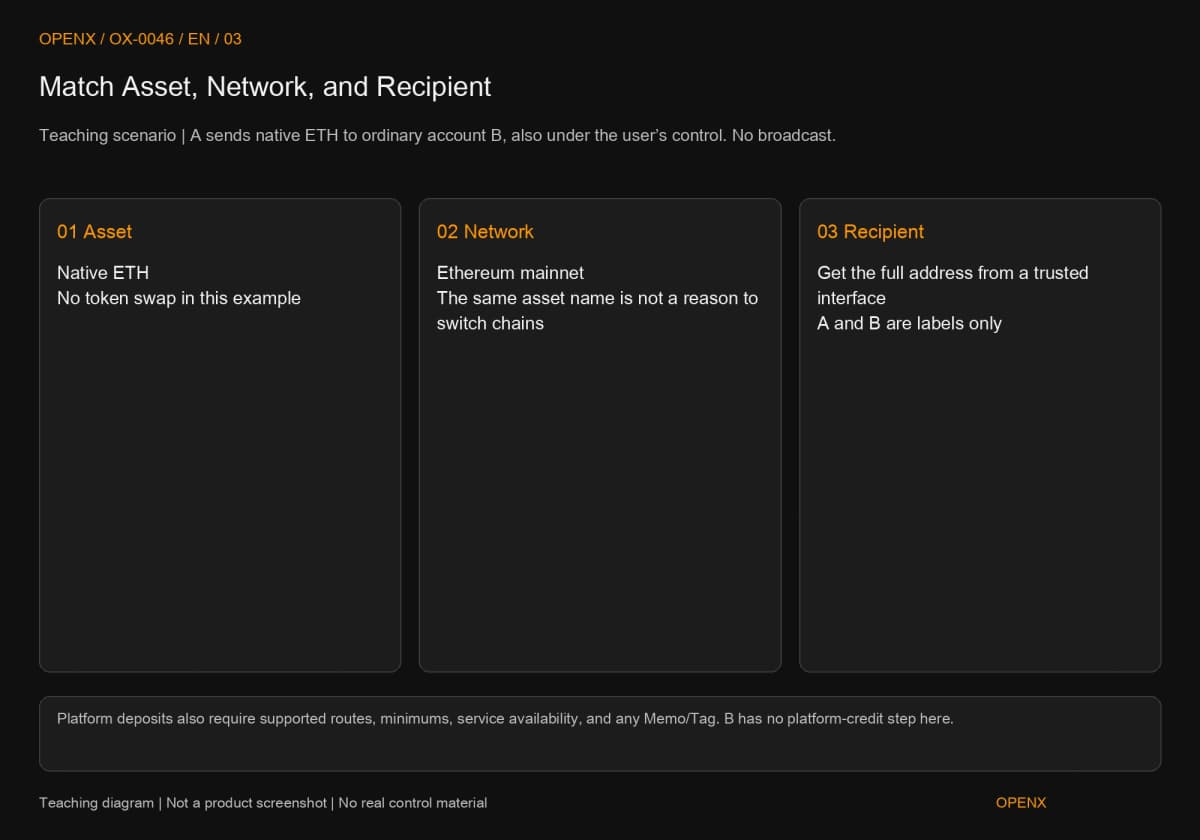
This example covers only a native ETH transfer on Ethereum mainnet, from your ordinary account A to an ordinary account B that you control. It is a teaching scenario, with no broadcast transaction; balances and fee rates are assumptions. Native ETH is Ethereum's native asset. This example does not involve bridging, token swaps, or smart contract calls.
Step 1: Match the Asset, Network, and Recipient Address
Select Ethereum mainnet in B's trusted wallet interface, obtain its receiving address, and return to A to check the network and asset. ETH names the asset; Ethereum mainnet is the network used here. Other networks may also use ETH as an asset or fee denomination. Checking the ticker alone is insufficient, and matching address formats do not prove that the recipient supports your chosen chain.
A and B are account labels, not usable example addresses. In your own practice, obtain the full address from your receiving interface. Compare it in sections after pasting and again on the final confirmation screen; when using hardware, also check the trusted device display. Do not copy an address from an unfamiliar small incoming transaction or identify a recipient solely by matching the first and last characters.
If the destination is an exchange, use its deposit page to check network support, service availability, minimum deposits, and any required Memo or Tag: additional information used to assign the deposit to a customer. Kraken's official deposit instructions dated August 19, 2026 list the network, additional information, and confirmation requirements separately. None can be inferred from the address string alone. The ordinary ETH account you control in this example has no platform deposit-allocation step.
Step 2: Separate the Transfer Amount from the Maximum Fee
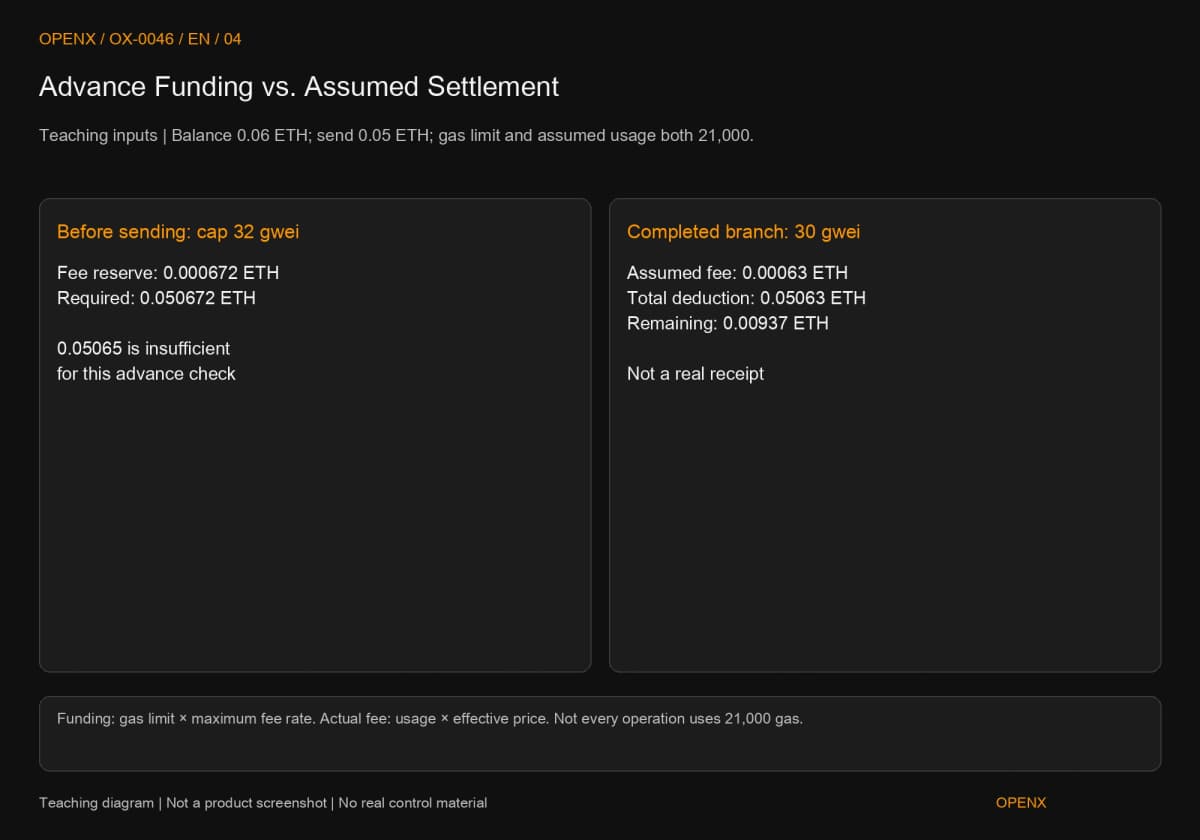
Assume A holds 0.06 ETH and will send 0.05 ETH. Also assume this ordinary transfer has a gas limit of 21,000 and a maximum rate of 32 gwei per unit. Its fee allowance is 21,000 × 32 ÷ 1,000,000,000 = 0.000672 ETH, so the example requires 0.050672 ETH in total. Gas measures computational work used in execution; gwei is a small unit of ETH. One ETH equals one billion gwei.
The advance allowance uses the fee-rate cap. The actual fee uses the gas actually charged and the effective rate. Ethereum.org's “Gas and fees” explains both measures. In a separate assumed completion branch, gas used is 21,000 and the effective rate is 30 gwei. The fee is then 0.00063 ETH, A's total reduction is 0.05063 ETH, and its remaining balance is 0.00937 ETH. These are calculations, not an actual transaction receipt.
If A holds only 0.05065 ETH, it is below the example's advance requirement of 0.050672 ETH, even though it could cover the later assumed actual cost. You cannot use a lower fee calculated afterward to justify passing the pre-submission balance check. Nor is 21,000 a universal gas limit: token transfers, contract interactions, or different account rules may require more. Use the wallet's estimate for the particular transaction, and stop if you cannot understand it.
From Signing to Receipt: Check Each Status
Separate what you intend to send, whether the network includes it, and whether the recipient's result matches the plan. Success and failure below are conditional branches. Without a real transaction hash, there is no completed receipt to record.
Step 3: Confirm That This Is a Transfer, Not Another Permission
Before signing, check Ethereum mainnet, recipient B, 0.05 ETH, and the fee conditions once more. This plan is a native ETH transfer. If the screen instead requests a token approval, an unknown contract interaction, or unfamiliar data, it no longer matches the task: reject the request. A token approval permits a specified spender, often a contract, to use a token within an allowance. A button labeled “Confirm” does not make it an ordinary payment.
If the hardware device shows a different address or amount from the computer, stop before confirming and check the source and device again. Do not disable warnings to finish a tutorial. If someone asks for your seed phrase to “verify receipt,” stop immediately. Checking an incoming payment does not require surrendering recovery information.
Step 4: A Transaction Hash Is the Starting Point
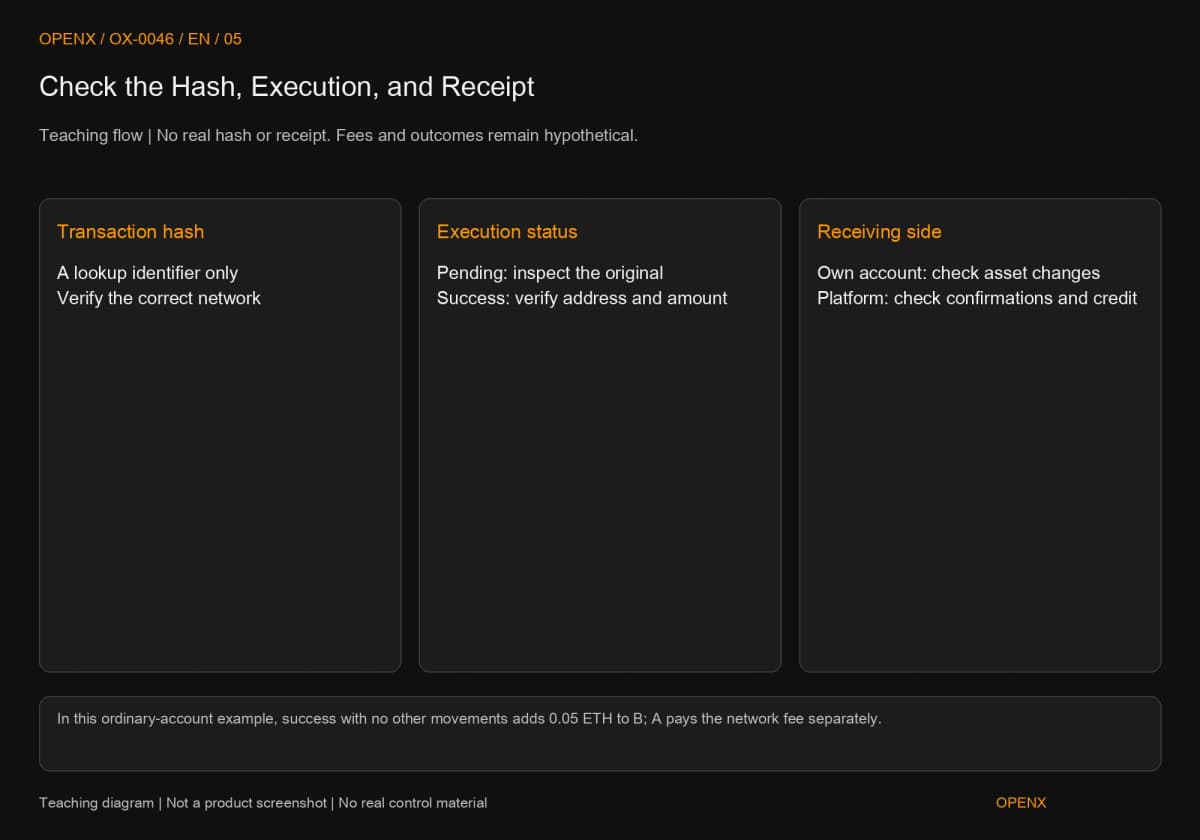
The transaction hash obtained after submission identifies the transaction for lookup. On an Ethereum-mainnet block explorer, check its status, sender, recipient, amount, block, and fee. A block explorer reads public on-chain records; looking up an ordinary transaction does not require connecting a wallet or signing.
Pending means it is still awaiting processing. Do not immediately assume B has received the funds or send the same amount again. If execution failed, inspect the reason and fee; a transaction included in a block can still consume gas when execution fails. Ethereum.org's “Transactions” and “Gas and fees” distinguish execution from fee accounting, which is why merely having a hash is insufficient.
Step 5: Check Receipt Before Continuing
Assume the receipt shows success and both B and 0.05 ETH match the plan. Then check B's asset change on the correct network. For this ordinary account-to-account transfer, with no other simultaneous movements, B should gain 0.05 ETH and A pays the fee separately. If the wallet display has not refreshed, check the network and public record before sending again.
If B is an exchange address, on-chain success must still be followed by the platform's required confirmations and crediting process. Do not apply the conditions for your own wallet directly to a platform deposit. Even after one successful small deposit, retrieve and check the current deposit details next time. Service status, addresses, and rules need not stay unchanged.
When to Stop Instead of Trying Again
If you cannot verify the network, address, fee, or signing content, not sending is the appropriate outcome. After broadcasting, inspect the original transaction to avoid an anxious duplicate payment. This distinction transfers between wallets better than memorizing button positions.
Not Sent, Pending, and Executed Need Different Responses
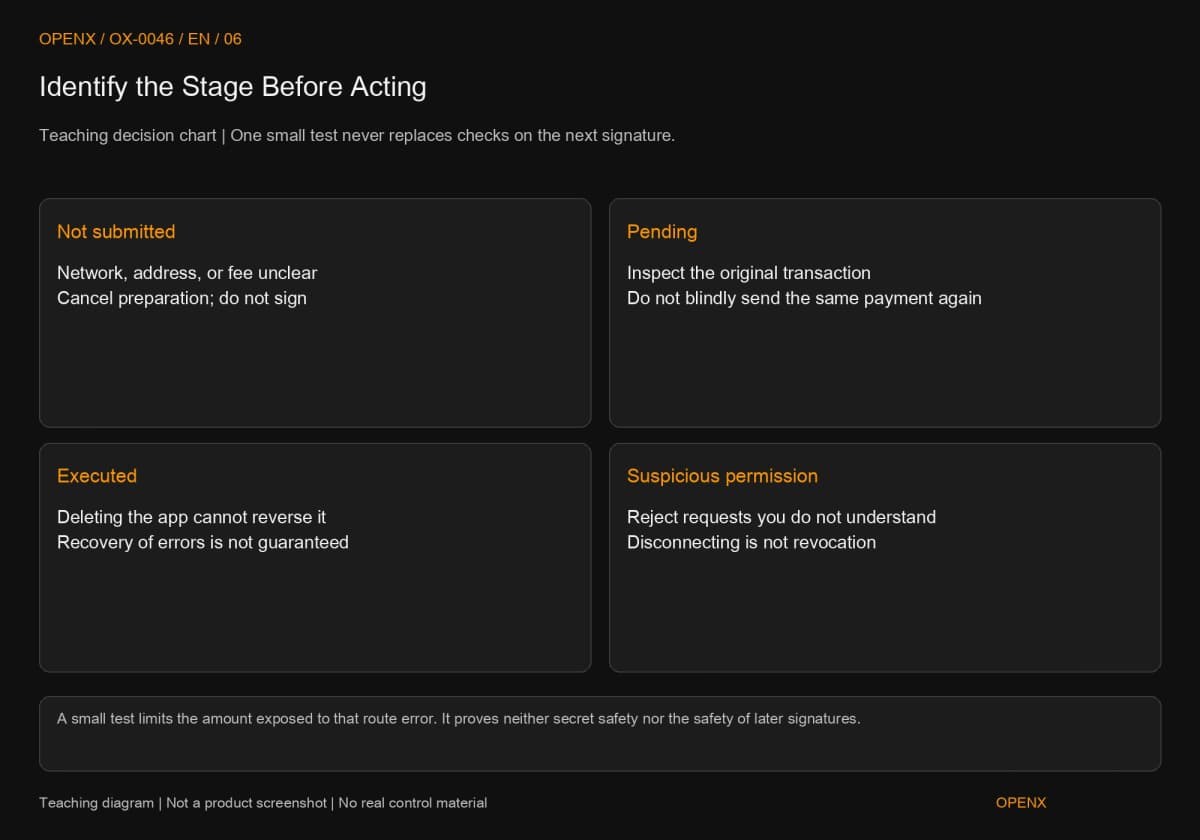
Before signing, you can cancel preparation. For a pending transaction, inspect the original and the wallet's available handling options. An executed transaction cannot be undone by deleting the app or closing the page. Recovery after a wrong-network or wrong-address transfer depends on recipient control, the network, and service support. Paying another fee does not guarantee recovery.
Disconnecting a website also differs from revoking a token approval already granted. MetaMask's official “Disconnect wallet from a dapp,” checked in the source on October 27, 2026, explicitly says disconnecting does not automatically revoke approvals. Reject suspicious signing requests, and do not treat “disconnected” as proof that old permissions have been removed.
What a Small Test Can and Cannot Establish
A small test checks the receiving route for that particular transfer and limits the amount exposed to a routing mistake. It does not prove that a seed phrase was never exposed, the device is sound, or every later signature will be safe. A new approval request after a successful test is a new decision; it does not inherit the previous transaction's trust.
Next Steps: Choose the Topic That Matches Your Question
First be able to explain which stage a transfer has reached, then study the part you need. The hot/cold comparison and backup-control articles are linked in their relevant concept sections. These four guides cover the next questions:
- Crypto Transfer Guide: Networks, Addresses, Memos, and Receipt Checks: networks, deposit minimums, Memos/Tags, and troubleshooting.
- What Are Gas Fees? Limits, Actual Charges, and Failed Transactions: estimates, caps, failures, and fee differences between networks.
- Token Approvals: Connections, Signatures, and Revocation: connections, signatures, allowances, and revocation.
- Crypto Wallet Hacked? Approvals, Exposed Seed Phrases, and Suspicious Transfers: responses based on whether control information has been exposed.
This article teaches wallet concepts and transfer decisions; it is not investment advice. Example amounts and fee rates are not current quotes. Check the requirements of the product and network you use. Transfer errors can cause losses that cannot be recovered.